One shortcut, fresh worktree
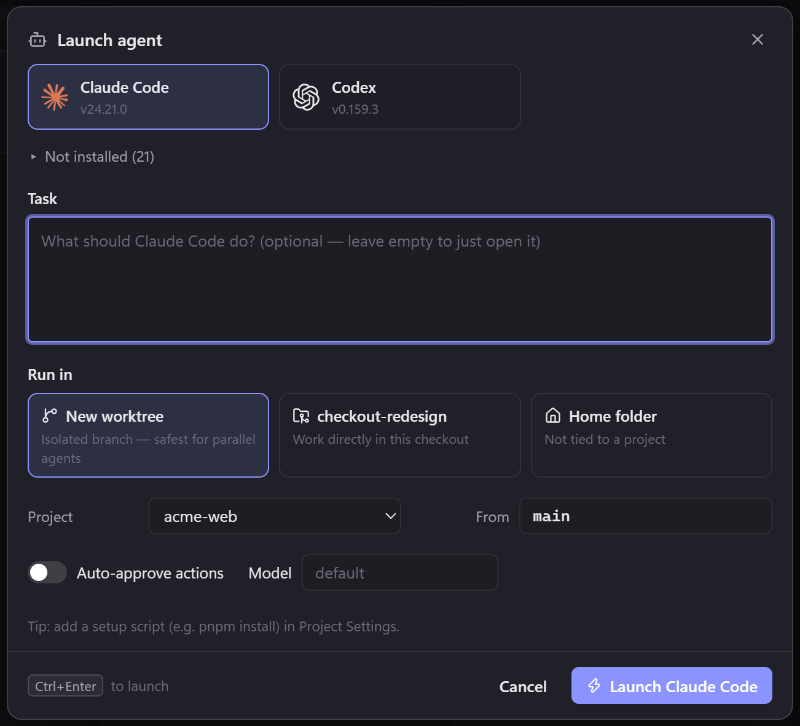
Pick an agent, describe the task and choose where it runs: a new worktree on an isolated branch, the current checkout or your home folder.
Run every AI coding CLI side by side, each in its own git worktree, terminal and diff view. JustCode knows what every agent is doing, so you only step in when one needs you.
For Windows (x64 and Arm64) and macOS (Apple Silicon and Intel)
Agent awareness
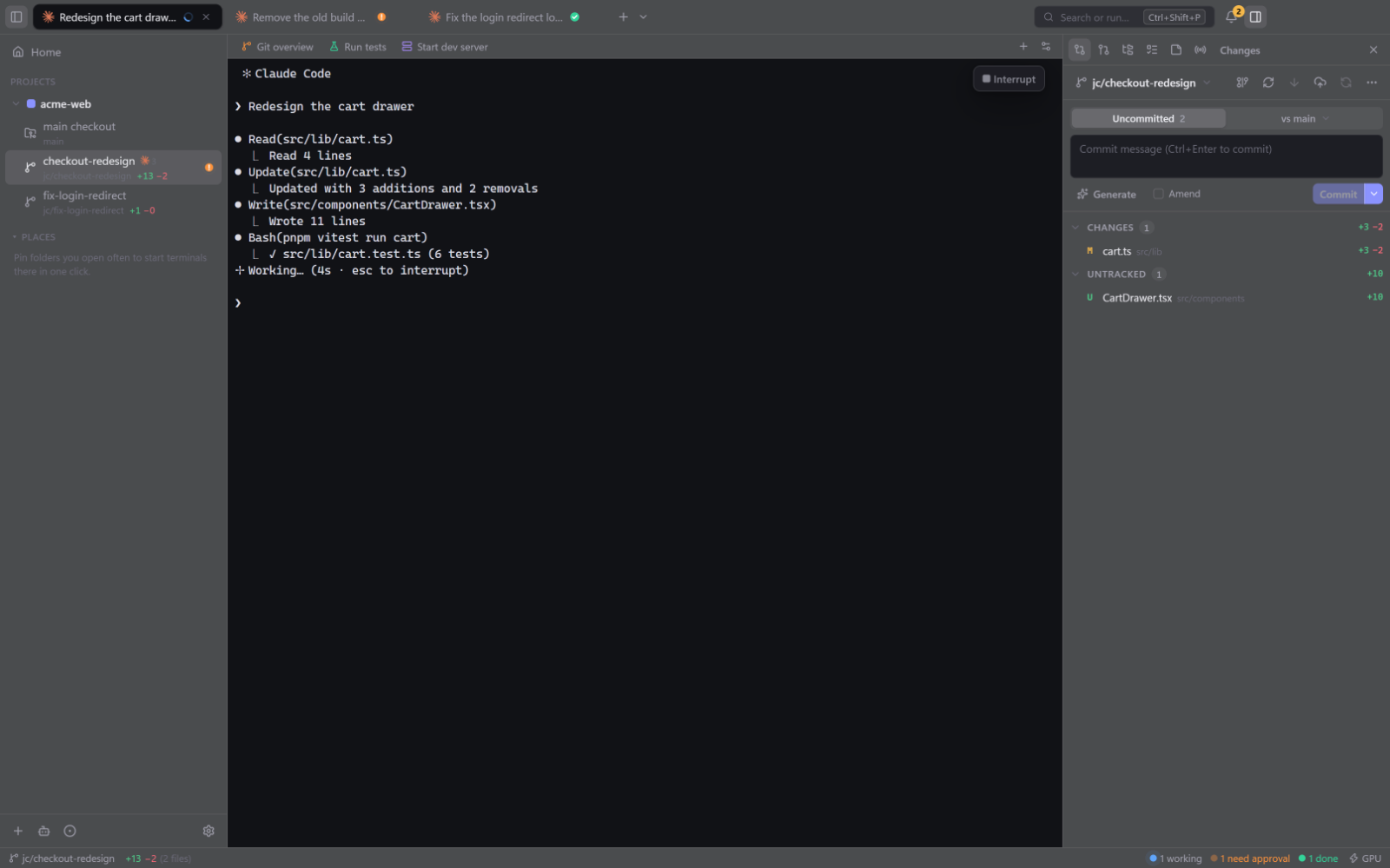
JustCode reads each CLI's official hooks where they exist and its own on-screen signals everywhere else, like Claude Code's ✻ spinner. Every tab tells you, at a glance, which agent is busy and which one needs you.
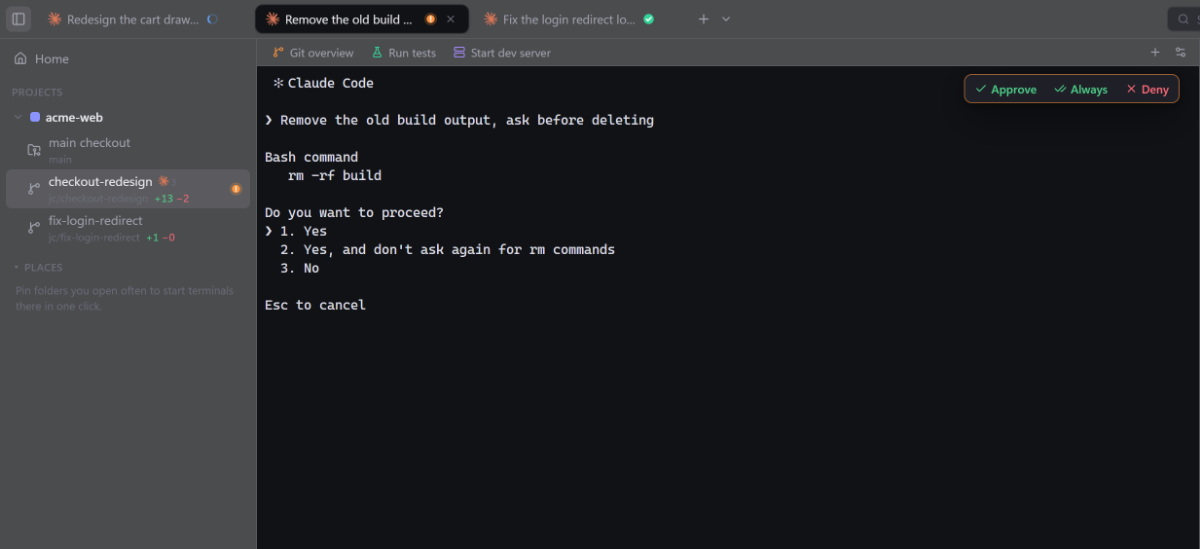
Every agent has its own icon, tabs take the name of the conversation and status icons are animated.
Interrupt, Send now, Approve, Always and Deny appear when the agent offers them, with the right keys for each CLI.
Attention rings and badges, and one shortcut to the next agent waiting on you: CtrlShiftU
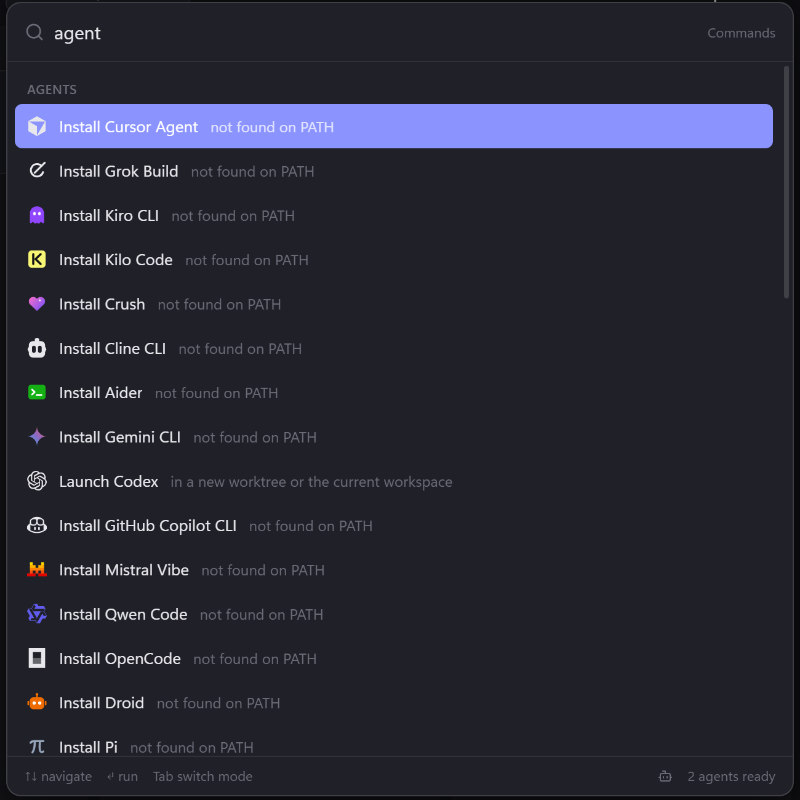
Agents that aren't on your machine yet show up with a one-click install.
Parallel agents
Launch any agent in a fresh git worktree with one shortcut. Run several at once, broadcast the same task to multiple agents and compare what comes back.
Pick an agent, describe the task and choose where it runs: a new worktree on an isolated branch, the current checkout or your home folder.
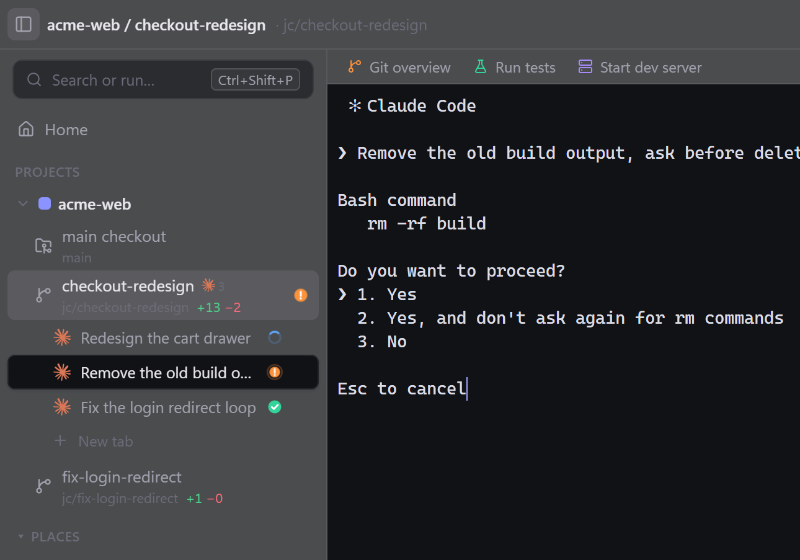
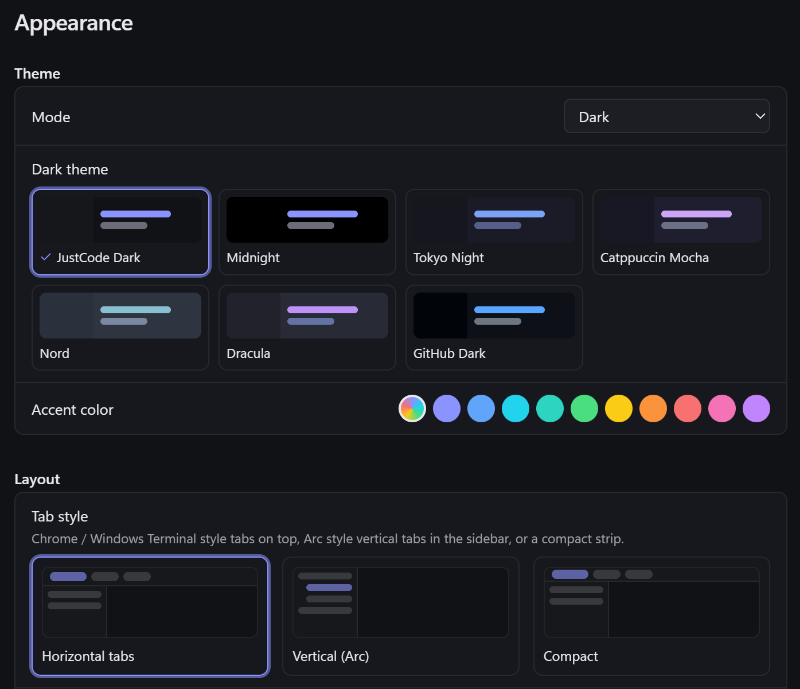
Chrome and Windows Terminal style tabs on top, or Arc-style vertical tabs in the sidebar, grouped under each worktree.
Send the same task to several agents at once, each in its own worktree, and compare the results.
Drag a tab onto any pane edge to split, or drag a pane by its grip to rearrange the layout.
Claude Code, Codex, Gemini CLI, Aider and the rest all get the same worktrees, tabs, status and review.
Review
A changes panel with +/− counts, unified and split diffs and hunk staging. Comment on lines and send the feedback straight to the agent, then commit, push and open the pull request without leaving the app.
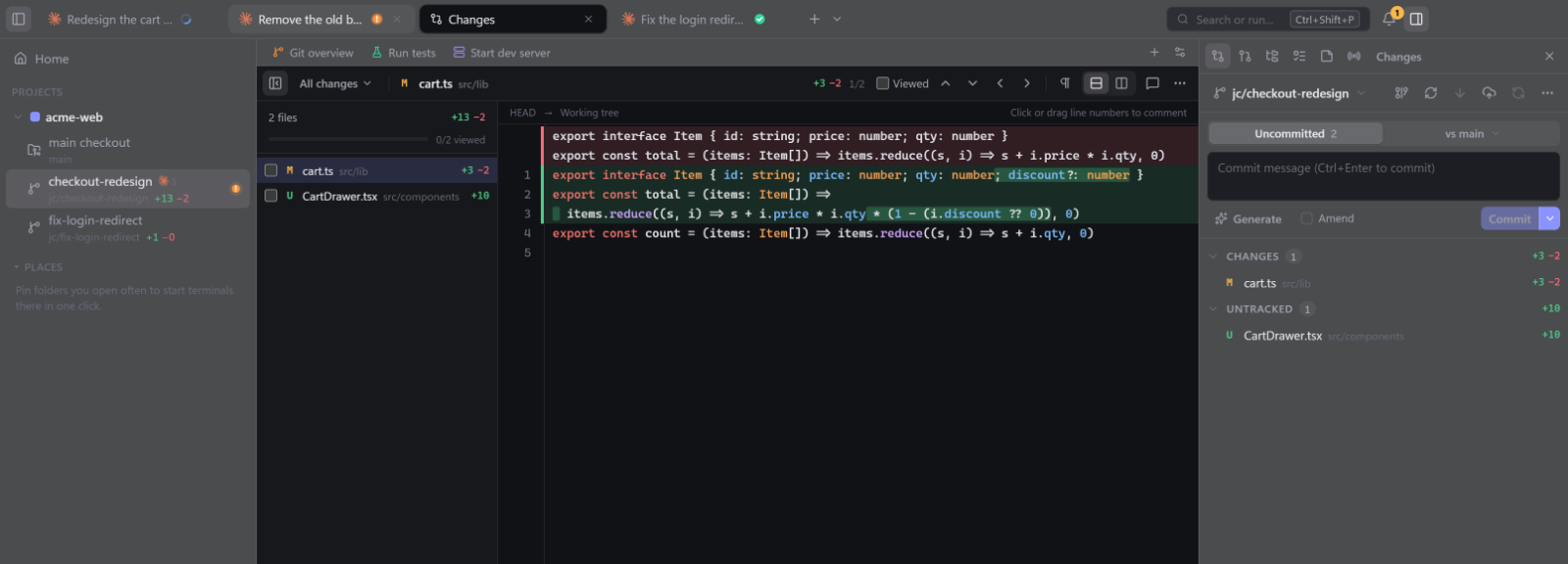
Stage, unstage or discard individual hunks, in unified or split view.
Comment on any line and send the feedback straight to the agent.
Commit, push and create pull requests from the same panel.
Ahead/behind, unpushed work, PR checks and review state for every workspace.
Git Overview
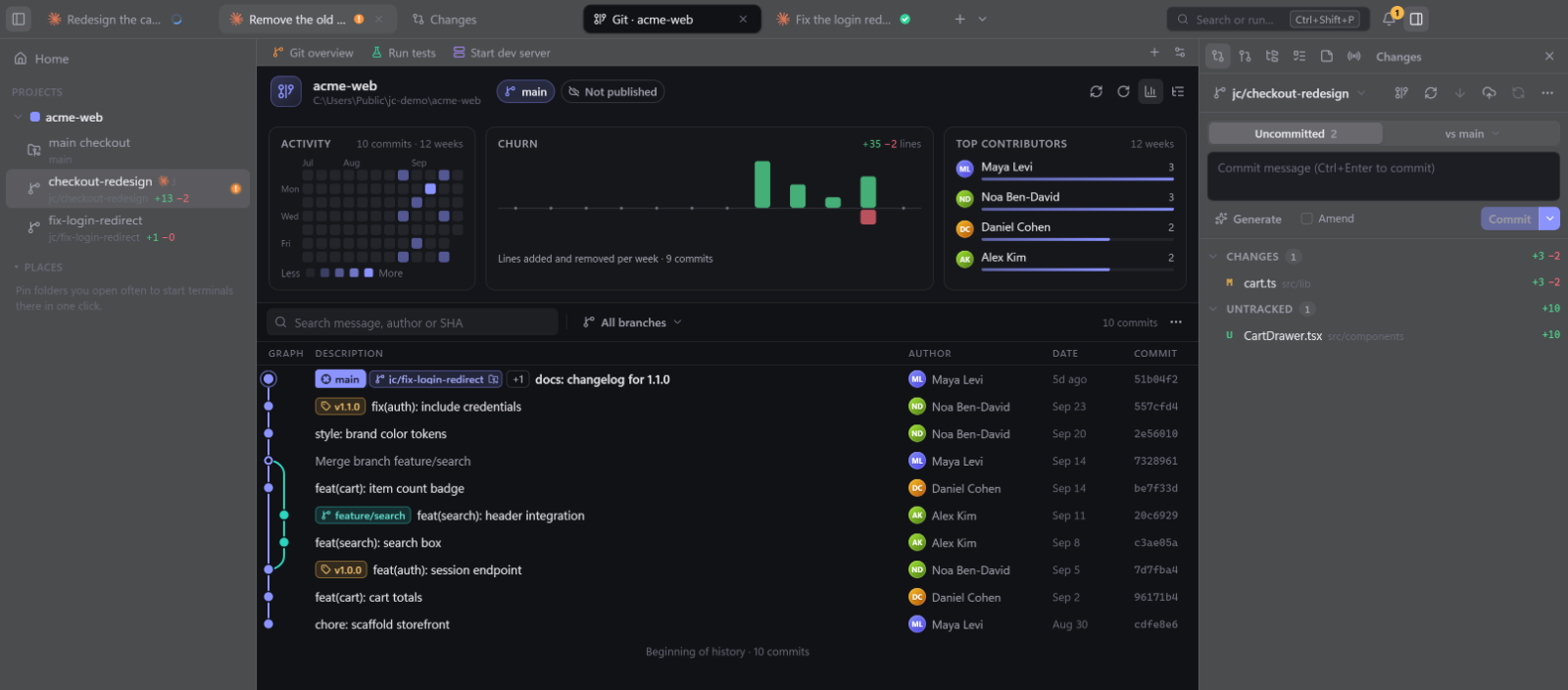
A commit graph with a lane for every branch, activity and churn charts and your top contributors. Open any commit to see its details and diffs, and every worktree is one click away.
Built-in browser
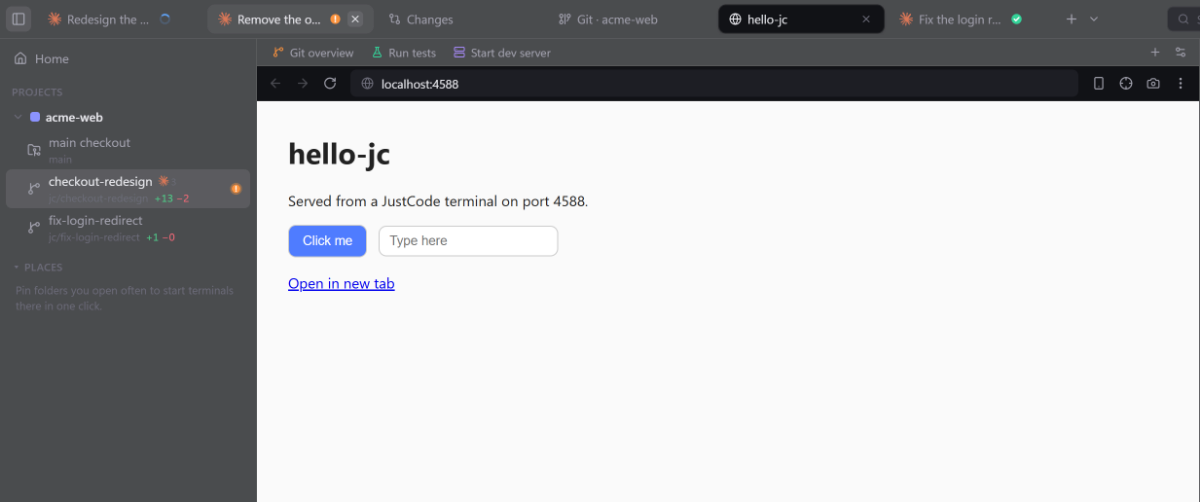
Preview your dev server right next to the agent that's building it.
Orchestration
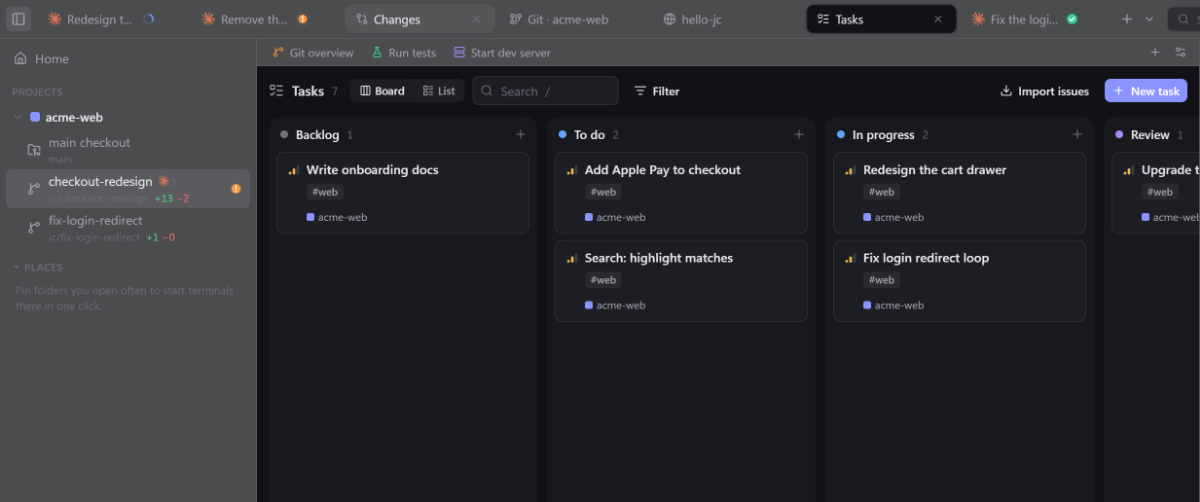
Plan on a task board, chain agents into workflows and let them talk to each other and to JustCode through a built-in MCP server and the justcode CLI.
Every task tracks whether its agent finished. Agents can add tasks and move them to Review themselves, and the whole board is driven from the keyboard.
Chain agents into a workflow, so one plans, the next implements and another reviews.
justcode CLIAgents can launch other agents, read their status, manage tasks and notify you.
$ justcode agents
$ justcode agent codex "Review the cart drawer" --worktree
$ justcode task add "Write onboarding docs"
$ justcode notify "Build finished"
Reusable commands with variables. Run them from the palette, a button or their own shortcut.
Markdown notes for every workspace, right next to the code and the agents working on it.
Done alerts
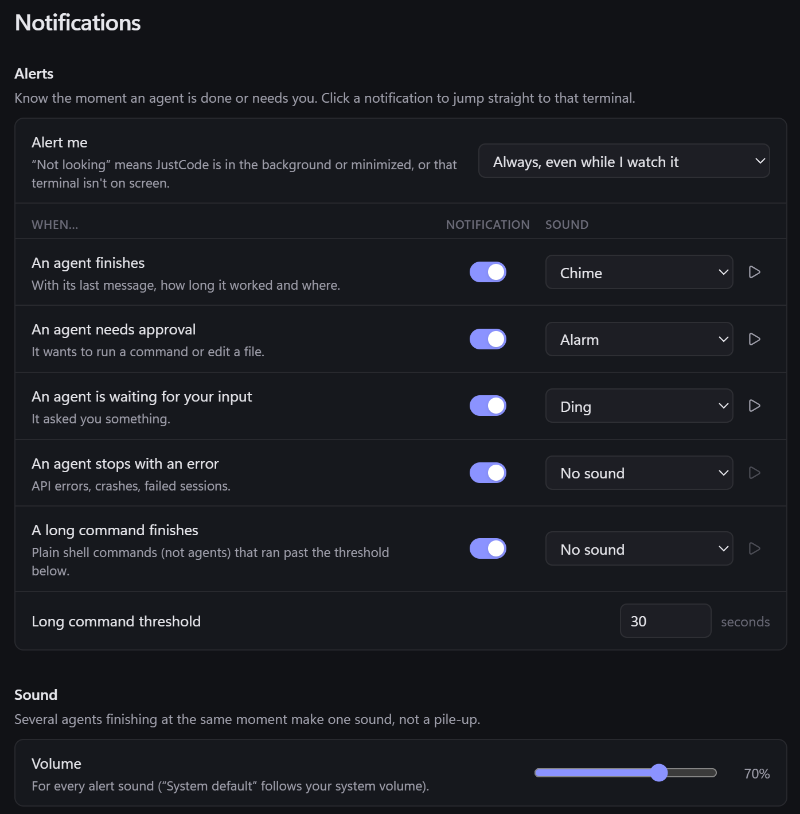
When an agent finishes, needs approval, waits for input or errors, and when a long shell command ends, you get a system notification and a sound you pick for each event.
Click a sound to hear it.
Remote and sync
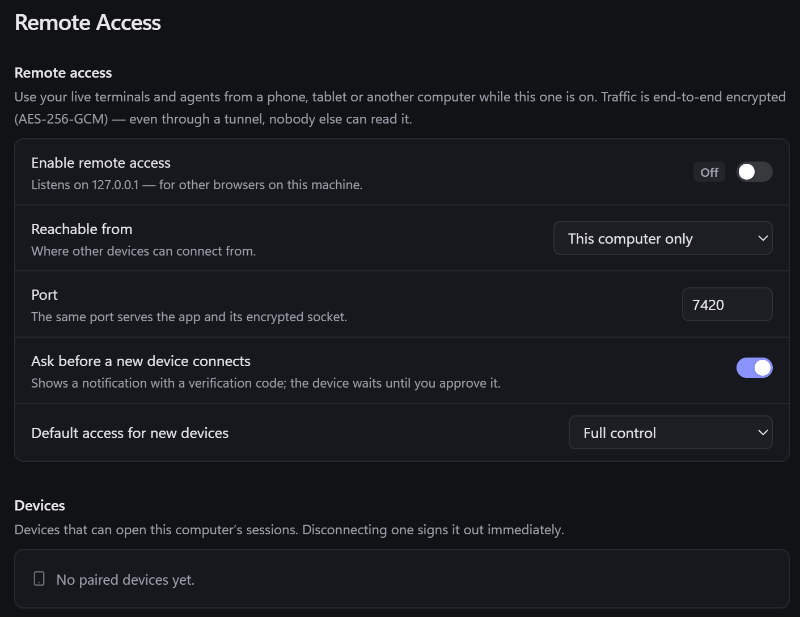
Pair a phone or another computer and work in the same live terminals while the host is online. Your setup follows you to every machine, end-to-end encrypted.
Connect over your LAN, Tailscale or a Cloudflare tunnel, with a one-click install of cloudflared. Traffic is end-to-end encrypted, new devices wait for your approval, and tabs and git status stay in sync live on every device.
Settings, snippets, tasks, notes and workflows sync through a private GitHub Gist or any synced folder.
Native speed
Real terminals on a GPU-accelerated renderer, inside an app you can shape to the way you work.
Privacy and security
JustCode has no telemetry and no servers of its own. Whatever it syncs or shares travels end-to-end encrypted, between your own devices and your own storage.
JustCode doesn't collect analytics or usage data.
Sync goes through your own private Gist or synced folder. Remote sessions connect your own devices.
Synced data and remote traffic are encrypted end to end. Even through a tunnel, nobody else can read them.
A new device shows a verification code and waits for your approval. Disconnecting one signs it out immediately.
Keyboard-first
One palette for agents, commands, files and snippets. On Windows, shortcuts follow Windows Terminal conventions, so a bare Ctrl+letter always reaches your shell.
For Windows and macOS. JustCode tells you when a new version is out.
Installer. Adds “Open in JustCode” to the Explorer folder menu.
Disk image for Apple Silicon and Intel Macs.
A quick estimate from what your browser reports. Nothing leaves your browser.
Requirements: Windows 10 or later (64-bit: x64 or Arm64), or macOS 12 Monterey or later (Apple Silicon or Intel).
This is an estimate based on what your browser reports. It can be wrong, e.g. browsers may hide or freeze version details. Nothing leaves your browser: the check runs on this page and sends no data anywhere.
macOS builds aren't notarized yet: the first time, right-click JustCode and choose Open.
FAQ
An IDE for running coding agents. It runs AI coding CLIs like Claude Code, Codex and Gemini CLI side by side, each in its own git worktree, terminal and diff view, and keeps track of what every one of them is doing.
23 are built in: Claude Code, Codex, Gemini CLI, OpenCode, Cursor Agent, GitHub Copilot CLI, Kiro CLI, Aider, Amp, Qwen Code, goose, Crush, Droid, Auggie, Cline CLI, Kilo Code, Junie, Devin CLI, Grok Build, Pi, Kimi Code, Mistral Vibe and OpenHands. You can add your own CLI too.
No. JustCode runs the real agent CLIs in real terminals, so they work the way you already use them. Agents that aren't installed yet get a one-click install.
No. JustCode is closed source.
No. JustCode has no telemetry and no servers of its own. Sync goes through your own private GitHub Gist or a synced folder, end-to-end encrypted.
Turn on Remote Access, then pair a phone, tablet or another computer. Devices connect over your LAN, Tailscale or a Cloudflare tunnel while the host computer is online. Traffic is end-to-end encrypted, and each new device waits until you approve it.
Windows (x64 and Arm64) and macOS (Apple Silicon and Intel).
JustCode checks for new versions shortly after launch and every few hours, or when you choose Check for Updates. On Windows the update downloads in the background and installs when you restart. On macOS, JustCode tells you when a new version is out and opens its download page.
macOS builds aren't notarized yet. The first time, right-click JustCode in Applications and choose Open. After that it opens normally.